Automate Batch Payments in Xero
When a customer pays fifty invoices with one bank transfer, the manual workload is immense.
Remittance Go eliminates the data entry bottleneck by converting remittance PDFs directly into structured Xero Batch Payments, ready for instant reconciliation.
Do It While the Kettle's On

Bulk Data Extraction
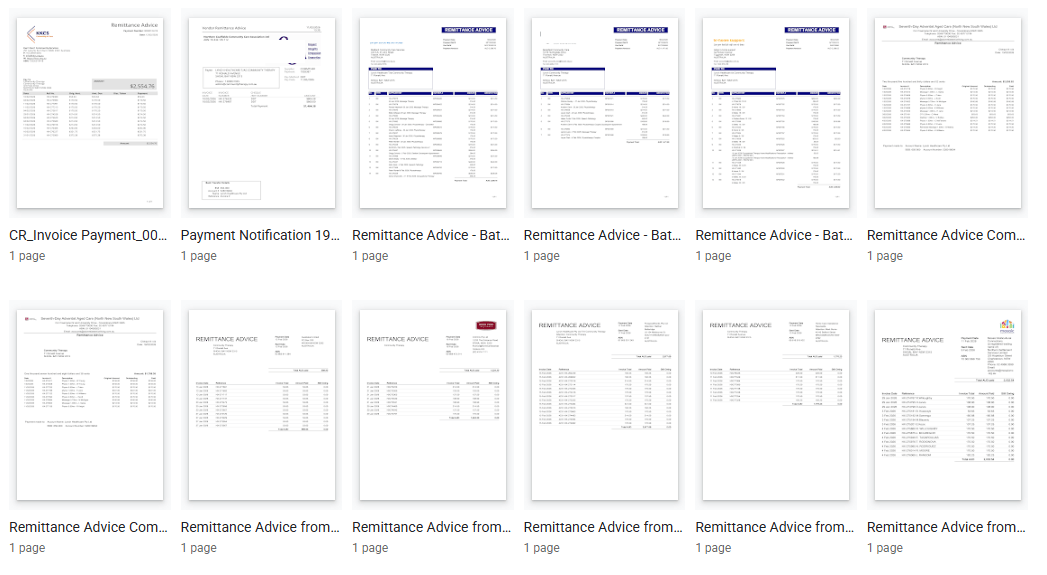
Remittance Go reads the PDF and identifies every invoice reference, date, and amount listed.

Multi-Invoice Validation
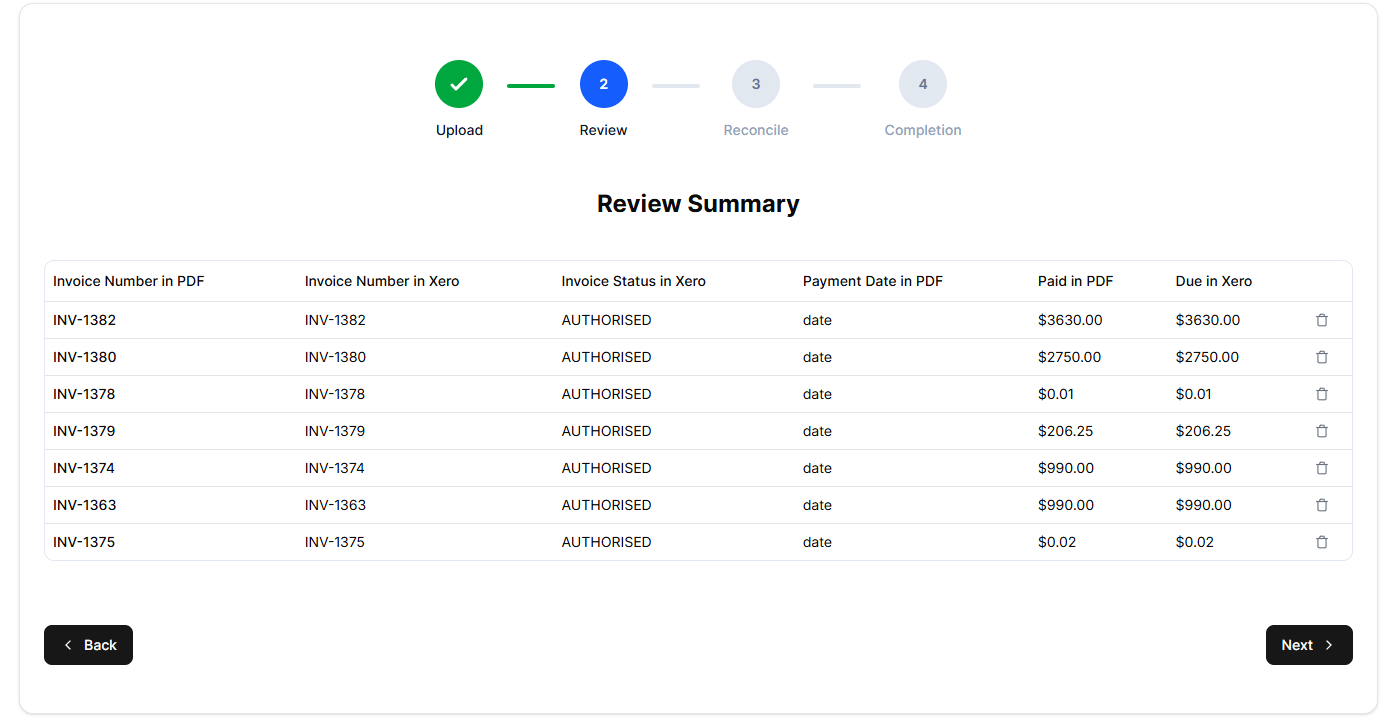
Every line item is validated against your open Xero records to ensure the totals align perfectly.

API Batch Creation
The system generates a formal Batch Payment in Xero. Each invoice is correctly allocated, and the total is set to match your expected bank deposit.
Create Accurate Batch Payments in Xero
From PDF extraction to matching, exception handling, statement checks, and historical traceability, each feature is aimed to save time while reducing human error.
Human + AI Oversight = Best Results
Unlike manual entry, Remittance Go applies logic to ensure your ledger remains clean:
- Smart Grouping: If a remittance covers multiple currencies or different bank accounts, the system automatically splits them into separate, valid Xero batches.
- Standardized Naming: Every batch receives a consistent, searchable reference (e.g., Remittance Go | {Reference Number} ), making it easy to locate specific payment runs later.
Date Synchronization: We use the actual payment date from the PDF, ensuring Xero’s bank feed can “Green Match” the transaction automatically.
Using the Official Xero Batch Payment API
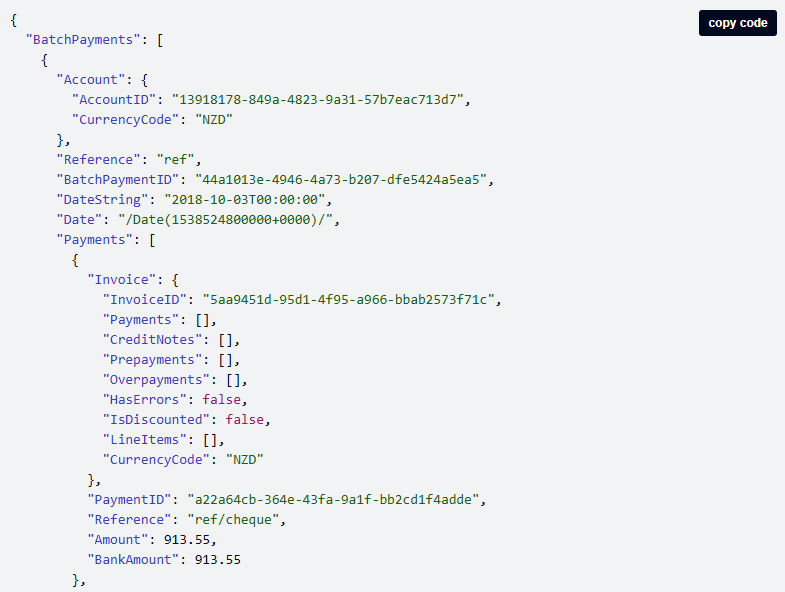
At Remittance Go, our engineers strictly follow the API guidelines set out by Xero.
This allows us to create a batch payment in the most native way you would manually do in Xero.
We have applied for app store certification in 2026!

Saving Your Team Hours Each Week
A single lump-sum deposit in your bank feed often hides a complex list of allocations. Processing these manually requires:
- Manual Filtering: Searching for every individual invoice within Xero.
- Risk of Imbalance: A single typo in an amount prevents the batch from matching the bank statement.
Reference Chaos: Inconsistent batch references make future audits and searches nearly impossible.
What Used to Take Hours Now Takes Seconds
Because the Batch Payment in Xero exactly matches the incoming bank statement line—down to the cent and the date—reconciliation becomes a few clicks.
Transform your complex remittances into clean, searchable, and auto-reconciled batch records.
FAQ
- How does Remittance Go automate a Xero Batch Payment for dozens of invoices?
Our software parses your PDF, extracting every invoice number and value instantly. It then uses the Xero API to “bundle” these line items into one single Batch Payment transaction.
Instead of manually clicking fifty separate invoices in Xero, you simply review the data and push the entire batch to your ledger in one go.
- What happens if the PDF total doesn't match my Xero Batch Payment sum?
The system flags discrepancies immediately. If the document total doesn’t align with the extracted line items, you’ll see a clear alert highlighting the specific invoices that don’t match your Xero records. This allows you to resolve the error before the Batch Payment is finalized.
- Can I process a Xero Batch Payment for multiple currencies?
Yes. Xero’s batch payment functionality is agnostic to currencies, and Remittance Go follows that logic. You can process remittances in any currency, and our system ensures the data is structured correctly for your Xero bank accounts.
- How does invoice matching work?
We extract the invoice numbers from the PDF, then use Xero’s invoices API to search for them.
- How does a Batch Payment simplify my bank reconciliation?
By setting the exact payment date and total amount from the PDF, Remittance Go ensures Xero’s bank feed finds a “Green Match” for the incoming lump sum. This turns what used to be a complex, fifty-line reconciliation task into a single-click Batch Payment confirmation.
- Will using Batch Payments affect my audit trail?
It actually improves it. Every Xero Batch Payment created via Remittance Go includes a standardized reference (e.g., Customer Name | Remittance Ref). This makes every payment run searchable and traceable, providing a much cleaner audit trail than manual, one-by-one entry.
- How are underpayments handled within a Xero Batch Payment?
The system is smart enough to detect shortfalls. It applies partial payments to the invoices as instructed by the remittance and leaves the remaining balances open in Xero for future collection—ensuring your Batch Payment reflects the actual cash received.