 Xero App Store Verified
NDIS Remittance Processing Software
Reads NDIS remittance PDFs and matches payments against Xero automatically.
No credit card required

Process NDIS Remittance Advices
Upload remittances from the NDIS Proda Portal
Process NDIS Remittance Advices
Upload remittances from the NDIS Proda Portal
Processing Queue
| Document | Status | Processing | Action |
|---|---|---|---|
ndis-agency-batch.pdf | In progress | Analyzing…(thinking) | Review |
plan-manager-june.pdf | In progress | Pondering…(thinking) | Review |
community-therapy-remittance.pdf | In progress | Whirring…(thinking) | Review |
ndis-june-remittance.pdf | Ready to review | …(thinking) | Review |
support-at-home-remittance.pdf | Ready to review | …(thinking) | Review |
plan-managed-participants.pdf | Ready to review | …(thinking) | Review |
ndis-provider-payments.pdf | Ready to review | …(thinking) | Review |
Process NDIS Remittance Advices
Upload remittances from the NDIS Proda Portal
| Invoice Number in PDF | Invoice Number in Xero | Invoice Status in Xero | Paid in PDF | Due in Xero |
|---|---|---|---|---|
| INV-1044 | INV-1044 | AUTHORISED | $436.00 | $436.00 |
| INV-1046 | INV-1046 | AUTHORISED | $3255.00 | $3255.00 |
| INV-1051 | INV-1051 | AUTHORISED | $812.00 | $812.00 |
| INV-1049 | INV-1049 | AUTHORISED | $436.00 | $436.00 |
| INV-1099 | INV-1099 | AUTHORISED | $436.00 | $436.00 |
Process NDIS Remittance Advices
Upload remittances from the NDIS Proda Portal
| Payments | Invoice ID | Amount |
|---|---|---|
| Remittance Go: X238939 | c36a246f-d307-474f-909f-4f42bf459768 | $436.00 |
| Remittance Go: X238940 | 4e5c81f4-79ec-40ba-9487-132692a0d447 | $612.50 |
| Remittance Go: X238941 | 9b2f7a13-6c4e-4a2d-8f91-3d5e7c8a1b6f | $890.00 |
| Remittance Go: X238942 | 71e0d4c9-2b8f-4e6a-9c3d-5a8f2e1b4c7d | $1,035.00 |
| Remittance Go: X238943 | 2d6a8f31-c4b7-4f2e-8a1d-6b9c3e7f5a4d | $717.50 |
| Total | $3691.00 |
Process NDIS Remittance Advices
Upload remittances from the NDIS Proda Portal
Process NDIS Remittance Advices
Upload remittances from the NDIS Proda Portal
Your batch payment has been successfully pushed to Xero.





How it works
How to Process NDIS Remittances in Remittance Go
Remittance Go maps each NDIA payment to the matching Xero invoice, flagging anything that needs a second look.
Step 1 - Upload the NDIS remittance
Upload the PDF. Remittance Go recognises the NDIA format and starts extraction right away.
Step 2 - Extract payment data
Payments become individual lines matched to your Xero invoices, ready for a batch payment.
Step 3 - Review for discrepancies
Rejected claims and underpayments are flagged clearly against Xero.
Step 4 - Batch payment in Xero
Confirm and push the batch payment to Xero.
Faster Accounts Receivable for NDIS Providers
The NDIA format is unlike anything else your team processes. Remittance Go is built specifically for it — so your people spend time on participants, not PDFs.
Hundreds of Pages, Processed in Seconds
Remittances spanning hundreds of pages and thousands of line items, handled automatically — no matter the size.
Errors You'd Otherwise Miss
Rejected claims, underpayments, and invoice mismatches are flagged before anything posts to Xero.
Accurate Xero Records, Without the Manual Work
Remittance Go posts correct data to Xero automatically, keeping your accounts clean and your audit trail intact.

More information
Accurate NDIS Reconciliation, Every Time
There are better uses of your time than reviewing NDIS remittances page by page.
The Founders Who Lived This Problem
Co-founders Nathan Price, an Australian bookkeeper, and Scott Lynch, an Allied health professional, spent years reconciling NDIS remittances by hand. They built Remittance Go to be the tool they always wished they had.
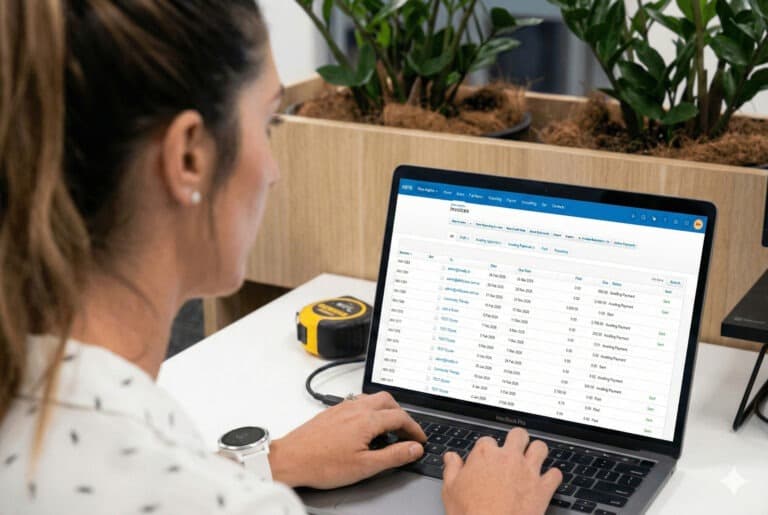

Free Up Your Time as an NDIS Registered Provider
PDF reviewing, over and over, is not a good spend of time. It is frustrating and error prone. Save your time for other projects and more important tasks.
Process NDIS Remittances 10x Faster and Focus on Your Participants
NDIS remittances are complex — rejected claims, support item codes, and invoice number variations can all cause errors. Remittance Go surfaces every discrepancy before anything posts to Xero.

“NDIS remittances used to take our admin team half a day. Now it takes twenty minutes.”
NDIS Remittance Questions
What about the information the NDIS appends to the invoice number?
NDIS documents often show something like INV-123fhadnv instead of INV-123. We recognise this and ignore it automatically.
Can it handle remittances with multiple participants?
Yes. Each participant's line items are extracted and matched to the correct Xero invoices individually.
Does it work for non NDIS remittance advice too?
Yes, any format from any payer works.
How does Remittance Go handle partially paid NDIS claims?
Underpayments are flagged on the review screen before anything posts to Xero, so your team can act on them straight away.
Does Remittance Go create a batch payment in Xero for NDIS remittances?
Yes, via the official Xero API. Hundreds of participant payments become a single batch payment, ready to reconcile.
Built exclusively for Xero