
View your Xero batch payment history
Every batch payment your team creates through Remittance Go is visible in one place — pulled directly from Xero's official API, without switching tabs.
Get started free →Batch Payment History





Your batch payment history, without leaving Remittance Go
Every batch payment created from a remittance is logged and accessible. No need to open Xero, navigate to bank accounts, and filter — it is right here.
Directly linked to Xero
The history is read from Xero's official batch payments API. What you see in Remittance Go is exactly what is in Xero — the same records, the same references, the same totals.
Choose your bank account
If your organisation has more than one bank account connected in Xero, you can filter the history by account. Each account's batch payments are listed separately.
Reference identifiers
Each batch payment displays the reference applied when it was created — typically the payer's remittance reference such as PAYX2834. This makes it easy to match a payment back to the original remittance.
Visible to your whole team
Anyone on your Remittance Go account can view the batch payment history. No Xero login required — your team sees what has been processed and when.
How it works
Batch payments, connected directly to Xero
Remittance Go reads your batch payment history from Xero so you have everything in one place.
Built on Xero's official API
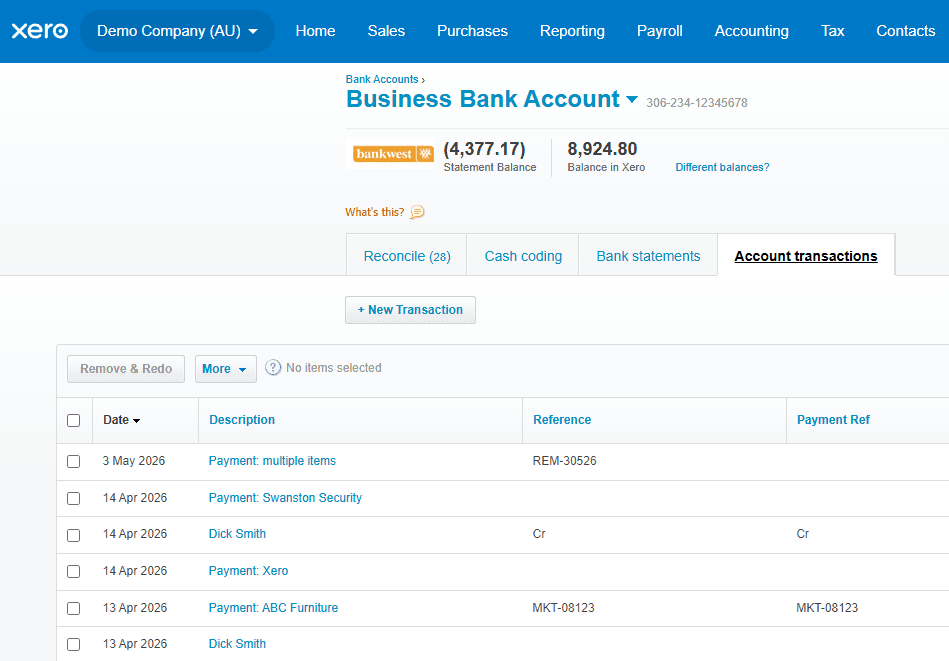
Remittance Go connects to Xero's official batch payments endpoint to retrieve your payment history. The data includes the batch payment ID, account details, reference, date, individual payment amounts, total, and reconciliation status — the same fields Xero stores. Nothing is duplicated or stored separately.

One view for your whole team
When a remittance is processed and a batch payment is created in Xero, it appears in the history immediately. Any team member can open the history, find the batch payment, and see the reference and total
Filter by bank account
If your Xero organisation has multiple bank accounts, you can select the relevant account from the dropdown to view only the batch payments made from that account. This is particularly useful for practices that operate across multiple entities or bank accounts.
Batch payment history questions
Is there a difference between Remittance Go's batch payment history and Xero?
No. They are the same. The history in Remittance Go is read directly from Xero via the official API. It is presented here to provide an easy way to see what remittances have been processed without switching tabs.
Will anything happen to my history if I cancel Remittance Go?
No. Your Xero data is left intact. Batch payments that were created through Remittance Go remain in Xero regardless of whether you continue using the product.
Can I choose the reference applied to each batch payment?
Yes. Typically the reference is taken from the remittance itself — for example PAYX2834. You can change this before confirming the batch payment if you need a different reference for your records.
What information is included for each batch payment?
Each record shows the batch payment ID, the reference, the date, the individual payment amounts that make up the batch, the total amount, and whether the payment has been reconciled in Xero.
How does Remittance Go get this data from Xero?
Remittance Go uses Xero's official GET BatchPayments API endpoint. The data is fetched in real time from your connected Xero organisation, so the history is always current.
Ready to streamline your remittance reconciliation?
Start for free. No credit card required.