
Improved Teams, Billing, and Organisation Control
We've rolled out a significant update to how bookkeepers manage their teams and billing inside Remittance Go — giving you more control, more visibility, and a smoother experience across the board.
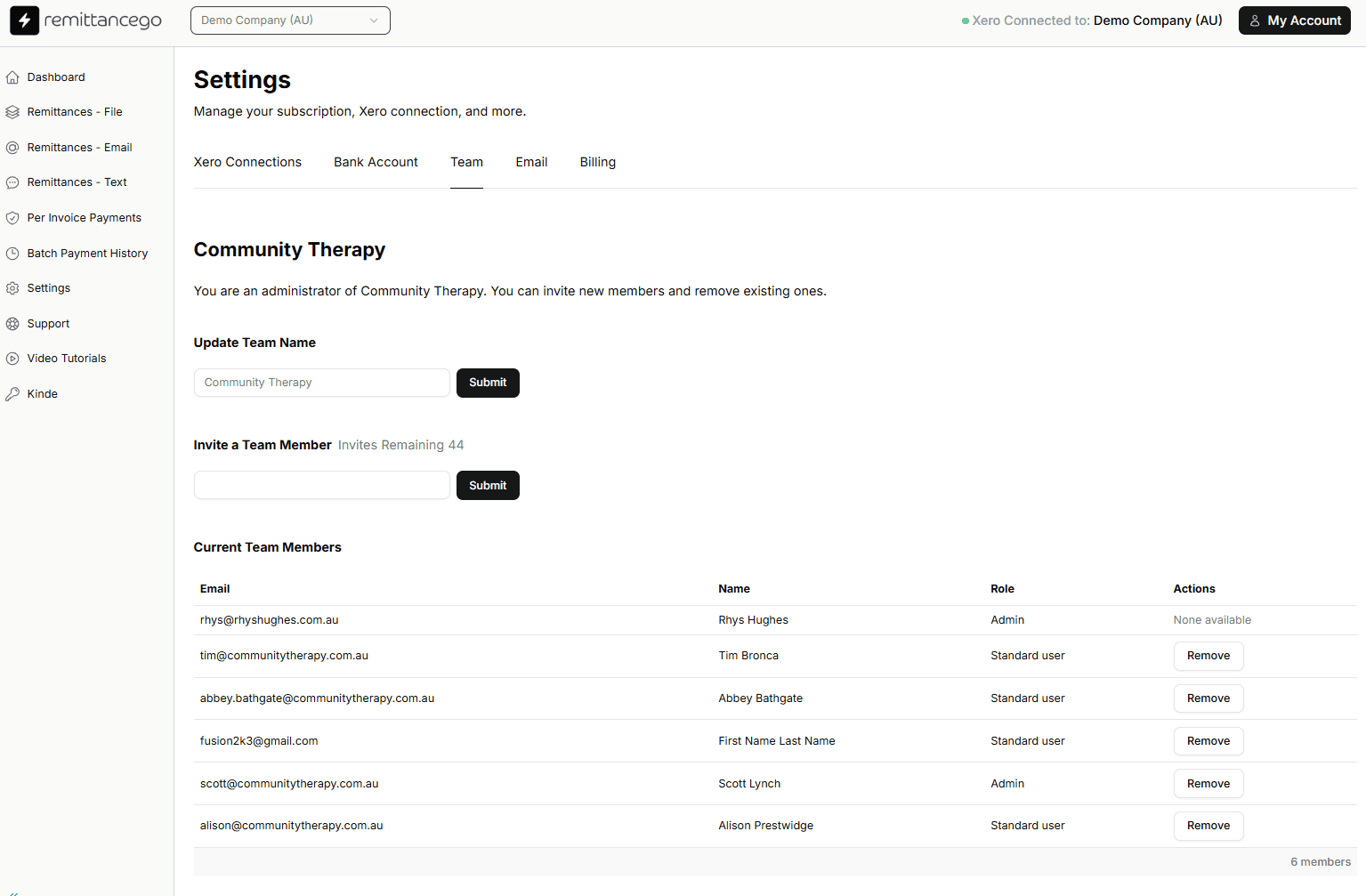
Team management in Remittance Go — invite members, assign roles, and remove access instantly
Add or remove your team with invitation links
Bookkeeping practices often juggle multiple staff members across clients and organisations. We've made it straightforward to bring your whole team into Remittance Go — and keep control of who has access.
- Invite team members directly via email from your Settings panel
- Assign Standard user or Admin roles to control what each member can do
- Remove a team member instantly — access is revoked immediately
- See all current members, their roles, and email addresses in one list
Whether you're onboarding a new bookkeeper or offboarding a contractor, team management is now a matter of seconds rather than a support request.
Upgrade, downgrade, and track your usage — all in one place
We've rebuilt the billing platform from the ground up to give bookkeepers a clear picture of what they're using and what they're paying for.
- Easily upgrade or downgrade your plan at any time from the Billing tab
- See your monthly remittance usage broken down across your entire team
- Know exactly how many remittances each team member has processed
- No surprises — usage and billing information is always visible and up to date
If you work with multiple clients or manage a team of bookkeepers, this gives you the visibility you need to stay on top of costs without having to contact support.
General improvements across the platform
Alongside the team and billing changes, we've made a number of refinements to the overall experience — things that make everyday use a little faster and more intuitive.
- Cleaner navigation and settings layout
- Improved loading states and feedback across key workflows
- Consistent design language across pages
- Minor fixes to form behaviour and error messaging
Questions about these changes?
If you're experiencing any issues after logging back in, our team is happy to help.