
Plan manager remittances reconciled automatically
Remittance Go reads remittance advices from My Plan Manager, Plan Partners, and every other NDIS plan manager — extracting support item codes and participant references, then reconciling directly into Xero.
Book a Demo →



Plan manager reconciliation is one of the hardest parts of NDIS billing
Bulk payments covering dozens of participants, support item codes that don't match invoice numbers, and a different format from every plan manager — it's a lot to untangle manually.
One payment, many participants
Plan managers pay for multiple participants in a single remittance. Manually separating each participant's lines and matching them to individual invoices in Xero can take the better part of a day.
Support item codes don't map to invoice numbers
NDIS remittances reference support item numbers and participant identifiers, not the invoice numbers in your Xero account. Cross-referencing them manually is slow and easy to get wrong.
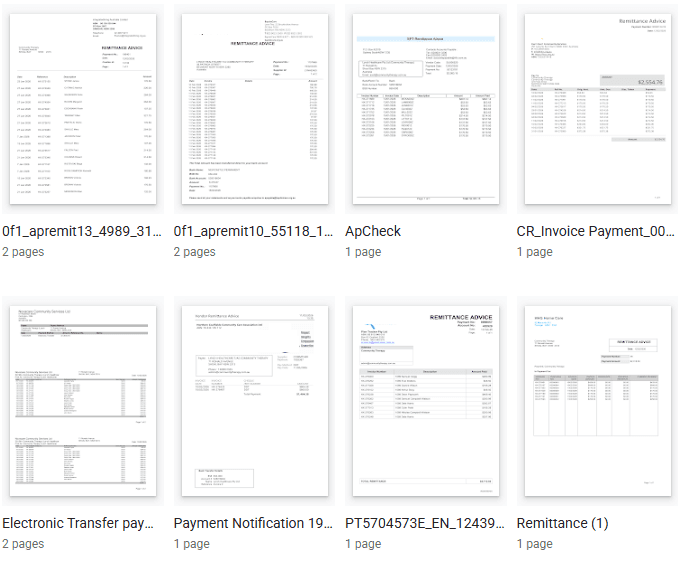
Every plan manager has a different format
My Plan Manager, Plan Partners, Maple Plan — they all produce remittance advices differently. Building and maintaining a manual process for each one isn't scalable.
How it works
How plan manager reconciliation works
Remittance Go reads participant names, support item codes, and payment amounts from any plan manager PDF — then matches each line against your open Xero invoices automatically.
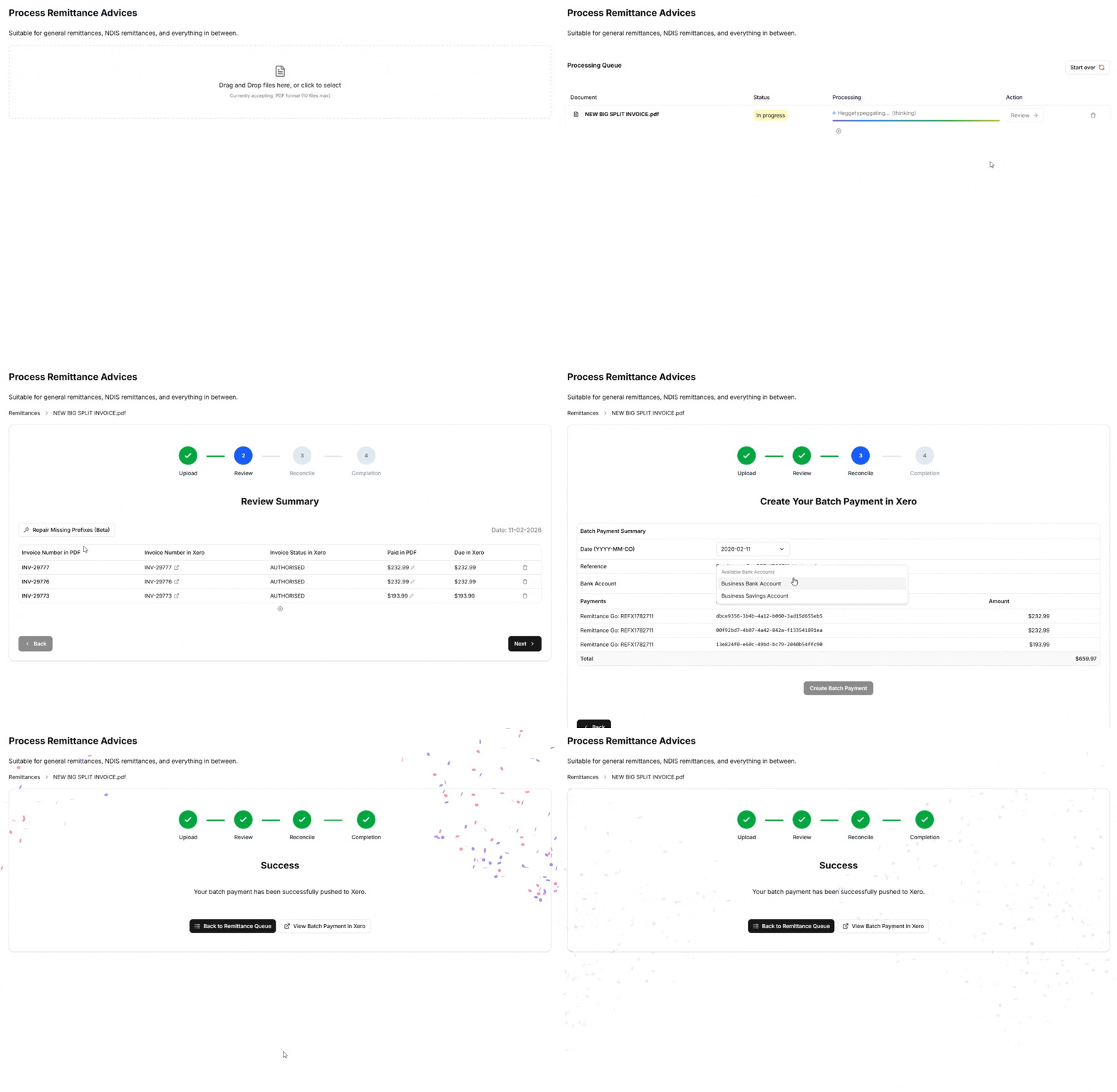
Step 1 - Upload remittances
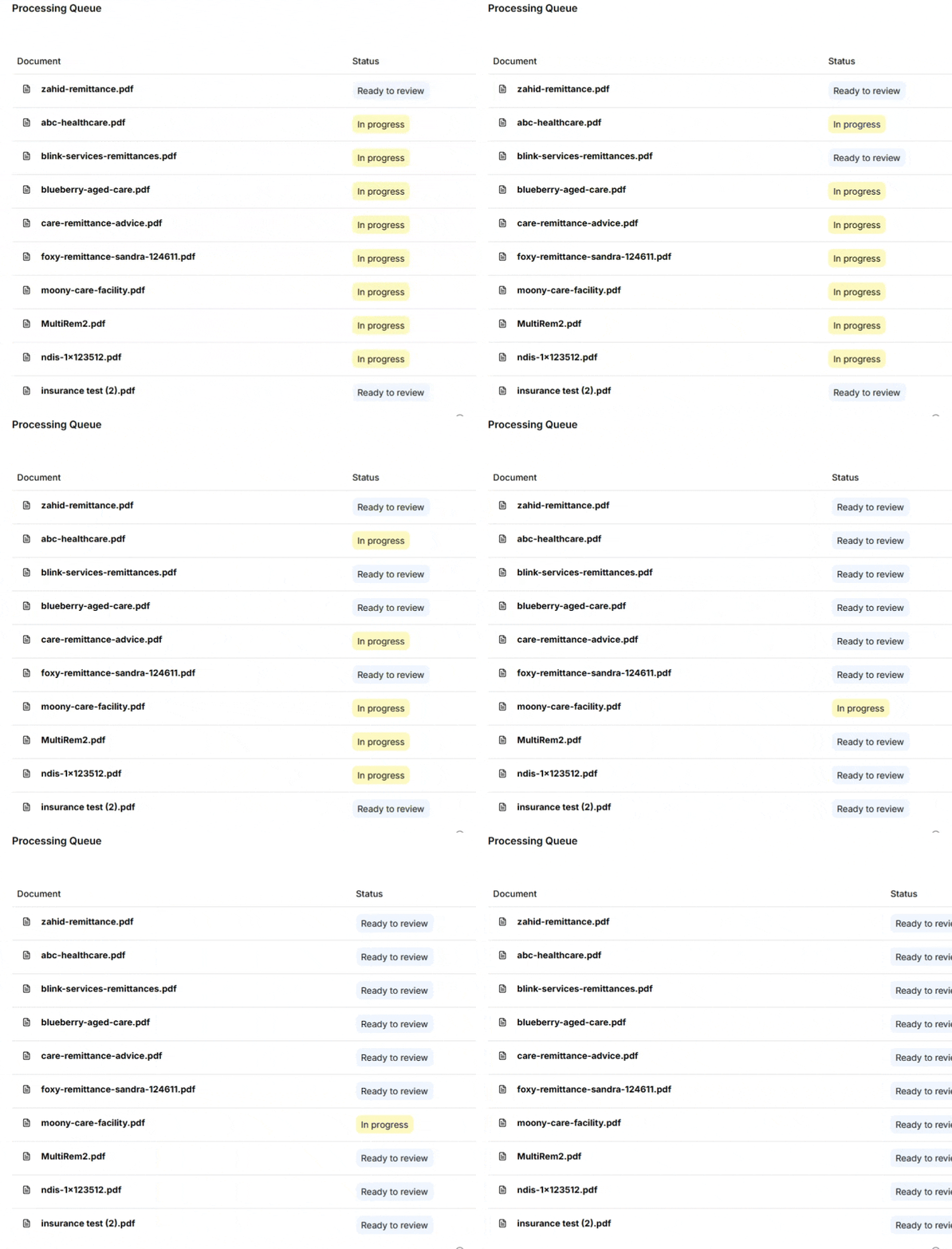
Drop in PDFs from any NDIS plan manager — My Plan Manager, Plan Partners, Maple Plan, or any other — and they enter your processing queue.
Step 2 - Extract participant and item data
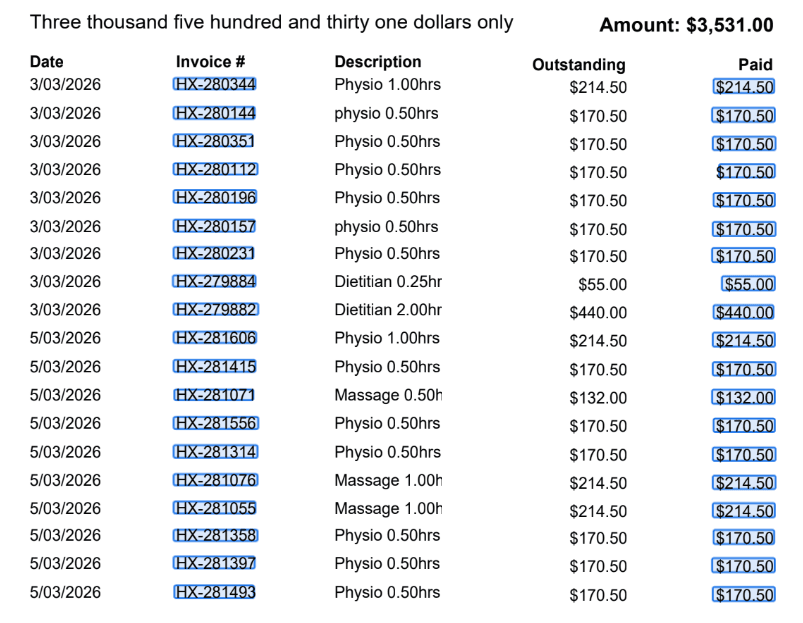
Remittance Go pulls out participant names, support item numbers, claim references, and payment amounts from every line of the document.
Step 3 - Review matches
See each extracted line matched against your open Xero invoices. Shortfalls, rejected items, and unmatched lines are clearly flagged.
Step 4 - Push to Xero
Confirm and Remittance Go creates the batch payment in Xero via the official API — ready to reconcile against your bank feed in one click.
The technology
Built for the complexity of NDIS plan manager billing
Remittance Go understands the structure of plan manager remittance advices — extracting participant references, support item codes, and payment amounts regardless of which plan manager sent the document.
About Remittance Go
Works with every plan manager, every format
My Plan Manager, Plan Partners, Maple Plan — it doesn't matter. Remittance Go reads them all.
Any plan manager, zero setup
Purpose-built for NDIS service providers, allied health practices, and bookkeepers managing plan-managed participants across multiple plan managers.
No templates. No mapping. Upload and go.
See every shortfall before it hits Xero
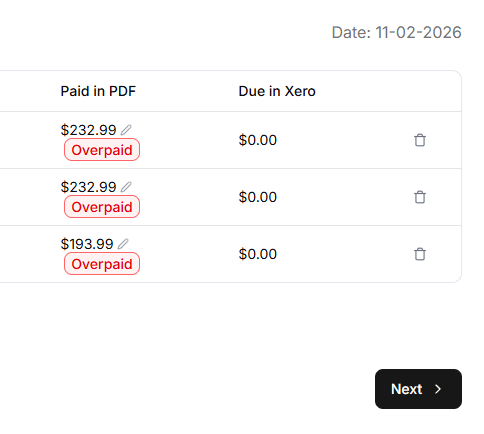
Partial payments and rejected support items are common in NDIS billing. Remittance Go flags every discrepancy between what was invoiced and what the plan manager paid — so you can follow up or write off with confidence.
Nothing gets buried in a bulk payment.
From bulk payment to per-participant reconciliation in minutes
Remittance Go eliminates the manual cross-referencing entirely.
Upload the PDF and the system separates every participant's lines, matches them to the right Xero invoices, and presents a clean reconciliation screen. Confirm and push the batch payment in one click.
“We bill ten different plan managers. The formats are all over the place. Remittance Go just handles them — I don't have to think about it anymore”
Frequently asked questions
Which NDIS plan managers does Remittance Go support?
Remittance Go supports remittances from all registered NDIS plan managers in Australia, including My Plan Manager, Plan Partners, Maple Plan, Clickability, and NDIS Plan Managers. Because it reads the document structure rather than relying on templates, it works with any plan manager's format automatically.
Plan manager remittances cover multiple participants — how does it handle that?
Remittance Go separates each participant's payment lines from the bulk remittance document and matches them individually to your open Xero invoices. You get a clean per-participant view rather than one lump sum to untangle manually.
What happens when a plan manager pays less than invoiced?
Shortfalls happen regularly in NDIS billing — due to price guide rate caps, funding exhaustion, or support items not matching the participant's plan. Remittance Go identifies every line where the paid amount differs from your invoice and flags it for review before pushing anything to Xero.
Are NDIS plan manager payments processed as GST-free?
Yes. NDIS supports are GST-free under Australian tax law. Remittance Go applies the correct tax treatment so your Xero reconciliation figures match your BAS obligations.
Can I upload remittances from multiple plan managers in one batch?
Yes. You can upload up to 10 PDFs at once — mixing remittances from different plan managers in the same queue. Each document is processed and matched to the right invoices independently.
How long does processing take?
Extraction takes around 10–15 seconds per document. After that, reviewing and confirming a typical plan manager remittance takes a few minutes. Documents covering a large number of participants may take a little longer to review.
Ready to stop untangling plan manager payments by hand?
Start for free. No credit card required.