 Xero App Store Verified
Medicare Remittance Processing Software
Reads Medicare bulk billing remittance advice PDFs from Services Australia and matches every claim line against Xero automatically.
No credit card required

Process Remittance Advices
Suitable for general remittances, NDIS remittances, and everything in between.
Process Remittance Advices
Suitable for general remittances, NDIS remittances, and everything in between.
Processing Queue
| Document | Status | Processing | Action |
|---|---|---|---|
abc-aged-care.pdf | In progress | Analyzing…(thinking) | Review |
services-jan.pdf | In progress | Pondering…(thinking) | Review |
my-caremanager-june.pdf | In progress | Whirring…(thinking) | Review |
ndis-june-remittance.pdf | Ready to review | …(thinking) | Review |
support-at-home-remittance.pdf | Ready to review | …(thinking) | Review |
engineering-remittance.pdf | Ready to review | …(thinking) | Review |
my-healthcare-remittance.pdf | Ready to review | …(thinking) | Review |
Process Remittance Advices
Suitable for general remittances, NDIS remittances, and everything in between.
| Invoice Number in PDF | Invoice Number in Xero | Invoice Status in Xero | Paid in PDF | Due in Xero |
|---|---|---|---|---|
| INV-1044 | INV-1044 | AUTHORISED | $436.00 | $436.00 |
| INV-1046 | INV-1046 | AUTHORISED | $3255.00 | $3255.00 |
| INV-1051 | INV-1051 | AUTHORISED | $812.00 | $812.00 |
| INV-1049 | INV-1049 | AUTHORISED | $436.00 | $436.00 |
| INV-1099 | INV-1099 | AUTHORISED | $436.00 | $436.00 |
Process Remittance Advices
Suitable for general remittances, NDIS remittances, and everything in between.
| Payments | Invoice ID | Amount |
|---|---|---|
| Remittance Go: X238939 | c36a246f-d307-474f-909f-4f42bf459768 | $436.00 |
| Remittance Go: X238940 | 4e5c81f4-79ec-40ba-9487-132692a0d447 | $612.50 |
| Remittance Go: X238941 | 9b2f7a13-6c4e-4a2d-8f91-3d5e7c8a1b6f | $890.00 |
| Remittance Go: X238942 | 71e0d4c9-2b8f-4e6a-9c3d-5a8f2e1b4c7d | $1,035.00 |
| Remittance Go: X238943 | 2d6a8f31-c4b7-4f2e-8a1d-6b9c3e7f5a4d | $717.50 |
| Total | $3691.00 |
Process Remittance Advices
Suitable for general remittances, NDIS remittances, and everything in between.
Process Remittance Advices
Suitable for general remittances, NDIS remittances, and everything in between.
Your batch payment has been successfully pushed to Xero.





How it works
How to Process Medicare Remittances in Remittance Go
Remittance Go maps each Medicare payment to the matching Xero invoice, flagging anything that needs a second look.
Step 1 - Upload the remittance
Upload the PDF or forward the email. Remittance Go recognises the Services Australia format and starts extraction right away.
Step 2 - Extract payment data
MBS item numbers, claim references, patient Medicare numbers, and benefit amounts become individual lines matched to your Xero invoices.
Step 3 - Review for discrepancies
Rejected claims, benefit adjustments, and underpayments are flagged clearly against Xero.
Step 4 - Batch payment in Xero
Confirm and push the batch payment to Xero.
Faster Accounts Receivable for Bulk Billing Practices
A single Medicare remittance can carry dozens of MBS claim lines, each with its own item number and reference. Remittance Go is built to read them all — so your team spends time on patients, not PDFs.
Dozens of MBS Claim Lines, Processed in Seconds
Remittances spanning many pages and claim lines are handled automatically — no matter how many patients or item numbers are involved.
Errors You'd Otherwise Miss
Rejected claims, benefit adjustments, and underpayments are flagged before anything posts to Xero.
Accurate Xero Records, Without the Manual Work
Remittance Go posts correct data to Xero automatically, keeping your accounts clean and your audit trail intact.

More information
Accurate MBS Reconciliation, Every Time
There are better uses of your time than reviewing Medicare remittances line by line.
Services Australia PDFs, Processed Without Setup
Medicare bulk billing remittance PDFs from Services Australia are read the moment they're uploaded — no templates to build, no field mapping to configure. Every claim line is extracted automatically: MBS item number, patient Medicare number, service date, benefit paid, and claim reference.
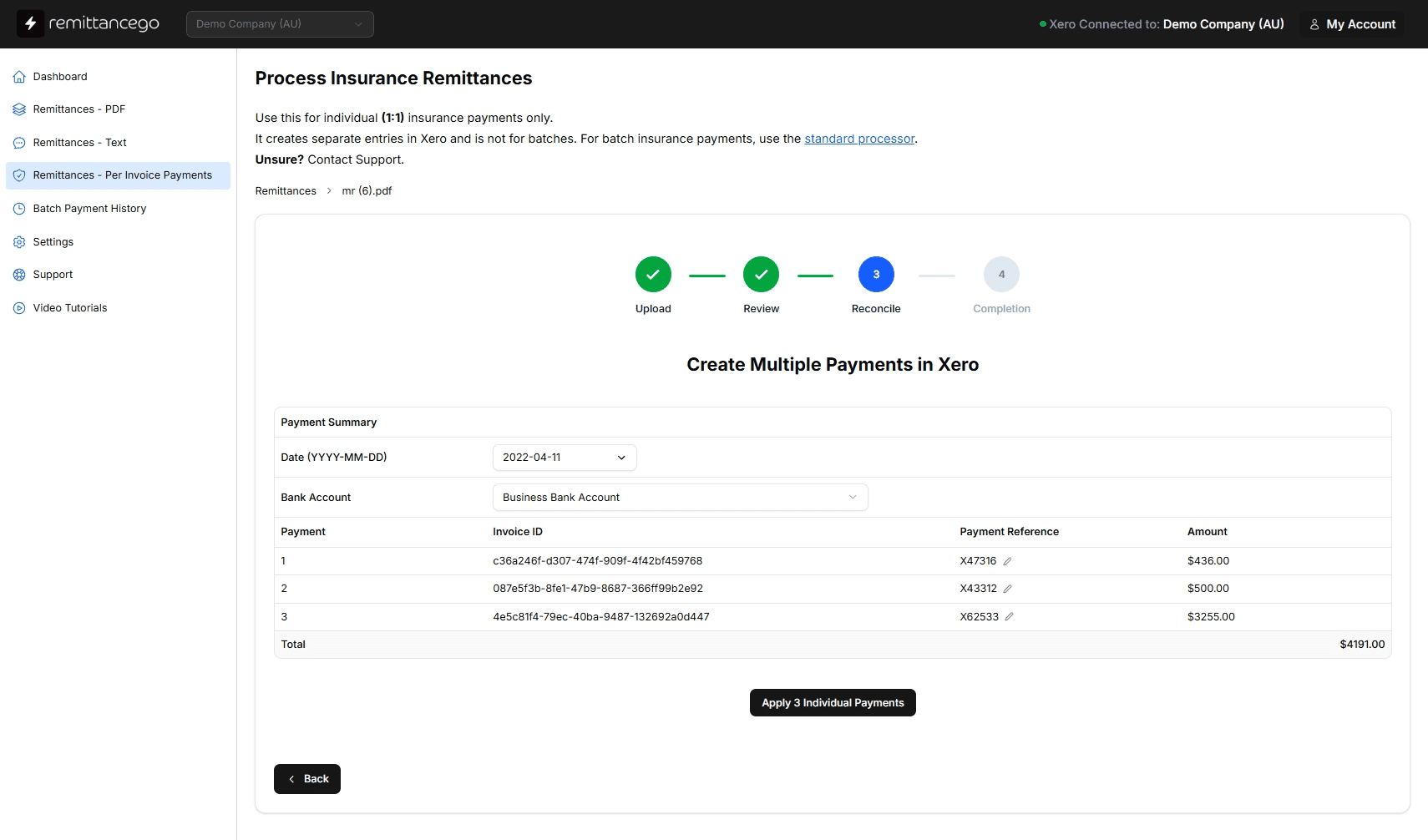
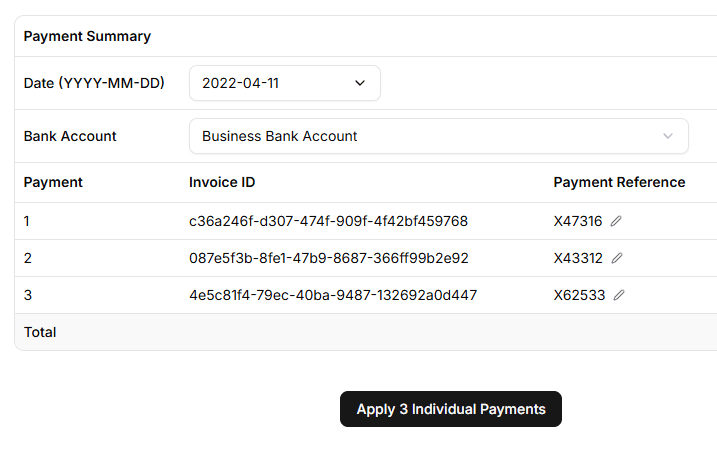
Claim References Matched to Xero Invoices Precisely
Every Medicare payment line carries a claim reference. Remittance Go reads and applies it when creating the payment in Xero, so each invoice is matched to the correct benefit paid — MBS item numbers, bulk billing incentives, and adjustments all captured in the same pass.
Built for GP Practices, Allied Health, and Medical Billing Teams
Any Australian practice that bulk bills and uses Xero has the same problem: Medicare remittance PDFs that need to be manually reconciled. Whether you're a solo GP, a multi-provider allied health group, or a billing service managing several practices, the workflow is identical — upload the PDF, review the extracted data, post to Xero.

“I can confirm we successfully imported and reconciled a 30-page remittance PDF this morning.”
Medicare Remittance Questions
What Medicare remittance PDFs does Remittance Go support?
Remittance advice PDFs issued by Services Australia for Medicare bulk billing claims — including standard bulk billing remittances, MyMedicare and other bulk billing incentive payments, and adjustment remittances. If it's a Medicare payment PDF from Services Australia, Remittance Go reads it.
How does Remittance Go extract MBS item numbers and claim references?
Each payment line is read for its MBS item number, claim reference, patient Medicare number, service date, and benefit amount, then matched to the corresponding Xero invoice using those references — no manual mapping required.
Does it handle bulk billing incentive payments?
Yes. Bulk billing incentive items appear as separate line items on Medicare remittance PDFs. Remittance Go extracts and posts these alongside standard benefit payments, so your reconciliation reflects the full Medicare payment, not just the base benefit.
What happens when a Medicare claim is rejected or underpaid?
Rejected and underpaid claims are flagged on the review screen before anything posts to Xero, so your team can resubmit or write off the shortfall with full visibility.
Does Remittance Go create a batch payment in Xero?
Yes, via the official Xero API. A Medicare remittance covering dozens of claim lines becomes a single, correctly referenced batch payment, ready to reconcile against your bank feed.
Can it handle PDF, CSV, and email remittances?
Yes. Whether a remittance arrives as a PDF, a CSV export, or plain text in an email, Remittance Go reads it the same way and matches it against your Xero invoices.
Built exclusively for Xero